The ANAKO Forex Signals product offers a dedicated platform for receiving, reviewing, and optionally executing forex trade signals. Designed for intermediate traders seeking structured market insights, the product integrates subscription plans, a detailed signals panel, performance archives, and an optional Executor module. This guide provides a thorough overview of each component, clarifying their roles and limitations to support informed decision-making.
Distinct Product Architecture and Subscription Plans
ANAKO Forex Signals operates as a standalone product within the broader ANAKO ecosystem, featuring its own subscription plans and entitlement middleware. This separation ensures that access to forex signals is managed independently from other ANAKO services, allowing users to select plans tailored to their trading preferences and frequency.
Plans typically vary by signal frequency, asset coverage, and access duration. Upon subscription, users gain entitlement to the Forex Signals panel and associated resources. The entitlement middleware governs access rights, ensuring that only active subscribers can view or interact with signal content.
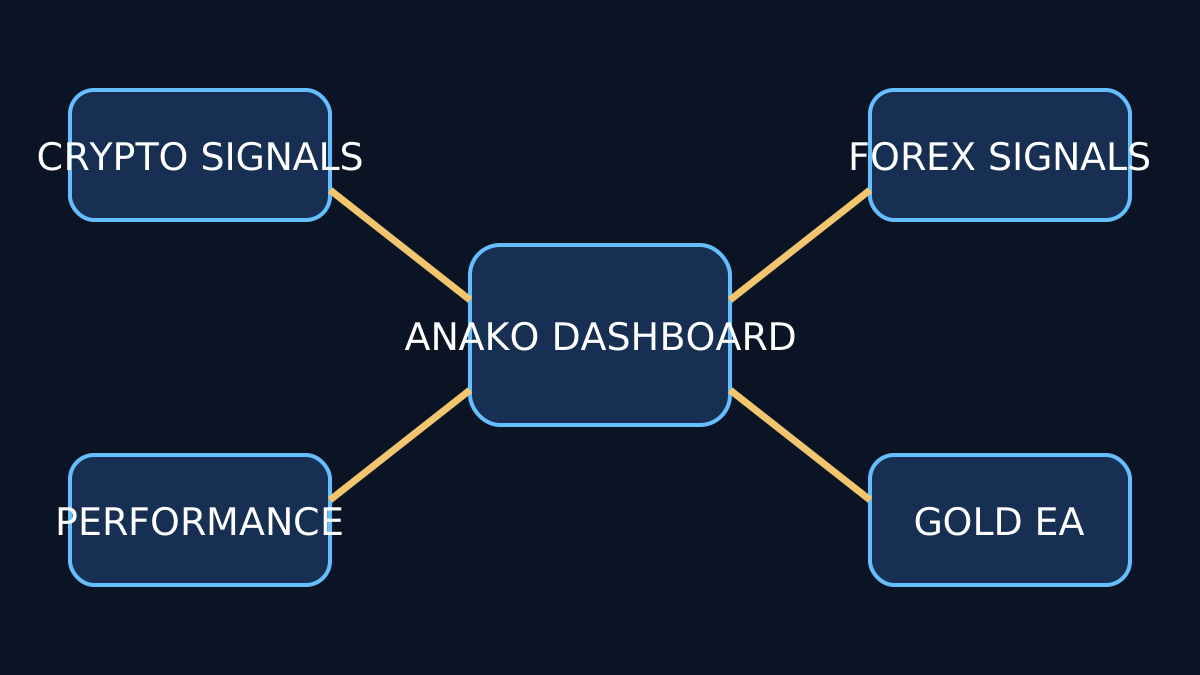
Forex Signals Panel: Viewing and Analysis
The Forex Signals panel is the core interface where users receive and analyze trading signals. Each signal includes key information such as currency pair, entry price, stop loss, take profit levels, and timestamp. The panel provides filters and sorting options to help users prioritize signals according to their trading strategies.
Importantly, the panel is designed solely for signal viewing and analysis. It does not execute trades automatically, maintaining a clear separation between signal provision and trade execution. This distinction safeguards users from unintended automated trading risks and aligns with regulatory best practices.
Performance Tracking and Archive
ANAKO maintains a comprehensive archive and performance tracking system for all issued signals. Users can review historical signals, their outcomes, and detailed trade performance metrics. This transparency allows traders to assess signal reliability and adapt their strategies accordingly.
Performance data includes metrics such as win/loss ratio, average pips gained or lost, and duration of trades. However, past performance is not indicative of future results, and users should interpret these metrics with caution.
Optional Executor Module: Trade Execution Control
For users seeking to automate trade execution based on received signals, ANAKO offers an optional Executor module. This component includes a dashboard, settings panel, manual trade initiation and cancellation controls, Expert Advisor (EA) download, token regeneration, and seat release functionality.
The Executor acts as a middleware between signal reception and order placement on the user’s trading platform. It requires explicit user activation and configuration, ensuring that execution remains under the trader’s control. Users can manually override or cancel trades at any time, preserving flexibility and risk management.
Executor Dashboard and Settings
The dashboard provides real-time status updates on signal execution, active trades, and system health. Settings allow customization of execution parameters such as lot sizing, slippage tolerance, and trade timing. However, these settings do not alter the original signal parameters, preserving signal integrity.
Expert Advisor Download and Token Management
To facilitate automated execution, users can download an Expert Advisor compatible with popular trading platforms. The EA interfaces with the Executor’s middleware via secure tokens, which can be regenerated as needed to maintain security. Seat release functionality allows users to deactivate Executor access on specific devices or accounts.
Limitations and Common Pitfalls
While the ANAKO Forex Signals product provides robust tools for signal reception and optional execution, users should be aware of inherent limitations:
- Signal Viewing vs. Execution: Signals are recommendations, not guarantees. Execution remains the user’s responsibility, and market conditions may cause deviations.
- Performance Variability: Historical performance data is informative but not predictive. Traders should avoid overreliance on past results.
- Manual Oversight Required: Even with the Executor, manual monitoring and intervention are essential to manage risk effectively.
- Technical Setup: Proper configuration of the Executor and EA is necessary to avoid execution errors or connectivity issues.
Best Practices for Using ANAKO Forex Signals
To maximize the benefits of the ANAKO Forex Signals product, consider the following recommendations:
- Regularly review performance archives to understand signal characteristics.
- Use the Executor module only after thorough testing in demo environments.
- Maintain clear separation between signal analysis and execution decisions.
- Stay informed about market conditions and avoid blind reliance on signals.
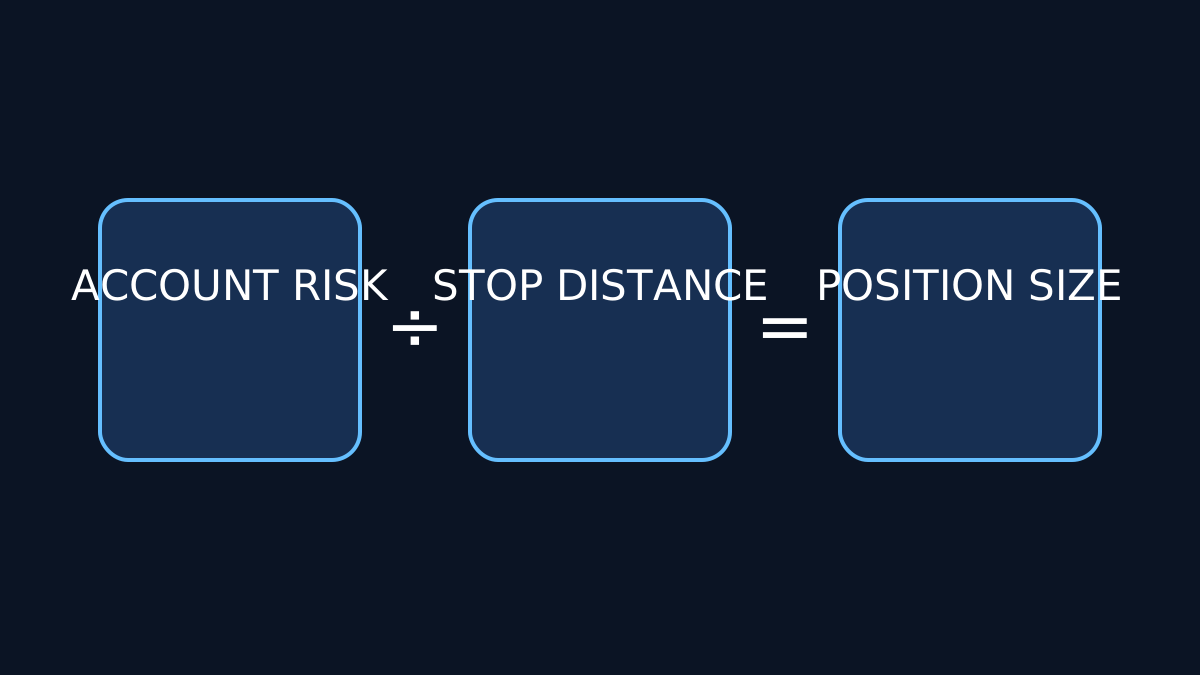
- Consult related educational resources such as the ANAKO Forex Risk Management guide for comprehensive trading strategies.
Conclusion
ANAKO Forex Signals offers a well-structured, transparent platform for intermediate traders to access curated forex trade signals with optional automated execution. By maintaining clear boundaries between signal provision and trade execution, and providing detailed performance tracking, the product empowers users to make informed trading decisions while managing risk responsibly.
Key Takeaways
- ANAKO Forex Signals is a standalone product with dedicated subscription plans and entitlement management.
- The Forex Signals panel provides detailed, non-executing trade recommendations with performance archives.
- The optional Executor module enables controlled automated trade execution, requiring user configuration and oversight.
- Users must understand the distinction between signal viewing and execution, and recognize the limitations of historical performance data.
- Proper setup, manual monitoring, and risk management remain essential when using the product.